How to Promote an Ebook: 10 Ways That Work
A practical plan to promote your ebook: build an email list, launch with advance readers, use Amazon tools, and sell direct. Real costs and rules, checked October 2026.
 By Philip Ghezelbash
To promote an ebook, build an email list before you launch, give the book to advance readers, and then use the channels that match where you sell it. If you sell on Amazon, the main levers are your listing, Amazon Ads, KDP Select promotions and promo newsletters. If you sell direct, your list, a landing page and content do most of the work. You do not need every channel. Most ebooks sell through two or three.
This guide covers ten ways to promote an ebook, with the costs and rules that apply today. Prices and rules change, so check each site before you spend money. We last checked everything below in October 2026.
Decide where your ebook will live first
Where you sell changes what you are allowed to do. If you enrol an ebook in KDP Select, it must be exclusive to the Kindle Store for the 90-day term. Amazon says you cannot distribute that ebook digitally anywhere else, including your own website or blog. Print and audio versions can be sold elsewhere.
That matters if you also want to give the ebook away as a lead magnet. A Select ebook cannot be your free download. If you want both, either skip Select or make a separate, shorter reader magnet. Our guide to creating a lead magnet ebook shows how.
1. Build an email list before launch
An email list is the one audience you own. Social accounts and store algorithms can change. A list of readers who asked to hear from you does not.
The usual way to grow one is a reader magnet: a short free ebook, checklist or template in exchange for an email address. Two common tools for delivering it:
- BookFunnel has no free plan. Its First-Time Author plan is $30 a year for up to 500 downloads a month.
- StoryOrigin has a free Basic plan with unlimited file delivery. The Standard plan is $10 a month or $100 a year and adds newsletter swaps and reader email collection.
Prices were checked in October 2026 on each company’s pricing page.
2. Give the ebook one clear page
Send people to one page that says who the book is for, what they get and what to do next. If you sell on Amazon, that is your Amazon page. If you sell direct, it is a simple landing page with the cover, a short description, a buy or sign-up button and a few lines about you. For real pages that do this well, see our breakdown of 10 of them.
Keep the promise specific. “A 20-page checklist for new managers running their first one-to-one” beats “a guide to leadership”.
3. Get your Amazon listing right
Promotion sends people to your listing, so it has to convert. Check these before you spend on anything else:
- Keywords and categories. KDP gives you seven keyword boxes and category choices. Our free KDP keyword generator and KDP category finder help you fill them.
- Author Central. Claim your books on an Author Page, add a bio, and check your rank and reviews. Readers who follow you can get notices about new releases. Editorial reviews can be added there too (US only), according to KDP’s help page.
- Cover. It has to read at thumbnail size. Our guide to designing an ebook cover covers the basics.
4. Launch with advance readers
Advance readers get a free copy before launch and, if they like it, leave an honest review when it goes live. Reedsy suggests getting copies out two to three months before launch. Free ARC services exist, and some paid ones charge per reader. We list options, prices and Amazon’s rules in how to get book reviews.
One warning: you can give copies away, but you cannot require a review or pay for one. Amazon removes reviews that break its rules.
5. Use Amazon Ads
Amazon Ads for books work on a pay-per-click basis, so you pay when someone clicks. Sponsored Products ads appear in search results and on product pages. You choose keywords or target specific books and genres, and you set a bid and a daily budget.
Things worth knowing from Amazon’s author guide and help pages:
- Your book has to be claimed in Author Central and available in the country you are targeting.
- Amazon’s FAQ lists a $1.00 minimum daily budget for Sponsored Products. Its budget guide recommends at least $10 per campaign. Jane Friedman suggests starting with $5 to $10 a day.
- Ads are usually reviewed within 24 hours, and sometimes up to three business days. Ad text cannot include customer reviews or prices.
- Some topics, including self-help and weight loss, carry advertising limitations, which means extra review rather than a ban.
- Reedsy suggests pausing a keyword after 25 to 35 clicks with no orders.
Start small and cap the total at an amount you are happy to lose while you learn what works.
6. Use KDP Select promotions (only if you are enrolled)
If you chose Select, you get two promotion tools. Read the current terms on KDP’s help pages before you schedule anything.
| Promotion | What it does | Key limits |
|---|---|---|
| Free Book Promotion | Makes your ebook free for a short time | Up to 5 days per 90-day term. No royalties on free days. Schedule at least a day ahead. |
| Kindle Countdown Deal | Time-limited discount with a countdown on the book page | Amazon.com and Amazon.co.uk only. Up to 7 days. List price $2.99 to $24.99 on Amazon.com. Minimum $1 discount. Price must stay unchanged for 30 days before and 14 days after. Your normal royalty rate applies. |
Per KDP’s help pages, you can use one or the other in each 90-day term.
7. Try BookBub and promo newsletters
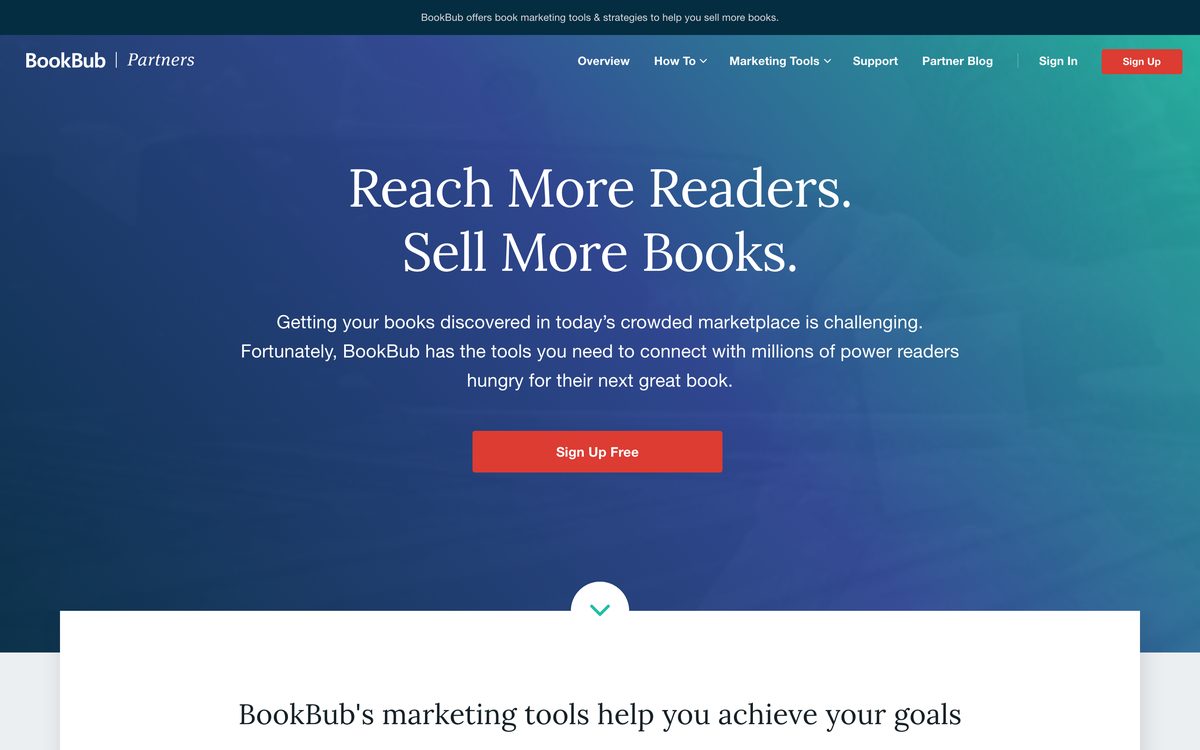
BookBub Featured Deals put a discounted or free ebook in front of BookBub’s subscribers. It is free to submit and you only pay if you are selected. BookBub says only about 10 to 20 percent of eligible deals are chosen. Its pricing page shows what a deal costs by category and price. For example, in Business the cost ranges from $304 for a free book to $1,435 for a book priced at $3 or more. In Advice and How-To it ranges from $629 to $2,958.
Promo newsletters are paid daily email lists of discounted books. David Gaughran’s March 2026 roundup lists Freebooksy at $30 to $120 for free books, Bargain Booksy at $20 to $85 and The Fussy Librarian at $15 to $79. His advice is not to stack every site on one day. Space them out so you can see what each one does.
BookBub Ads are a separate self-serve option with a $1 minimum budget. They suit people who already understand ad bidding.
8. Swap newsletters and go where your readers already are
Newsletter swaps are free. You mention a fellow author’s book and they mention yours, and it works best when your lists are a similar size.
For nonfiction, podcasts, guest posts and speaking often beat ads. Joanna Penn and the agency Leverage With Media both describe pitching podcasts and writing guest posts as core nonfiction book marketing. Pick shows and sites your reader already follows, and offer something useful rather than a sales pitch.
9. Pick one or two social platforms
Written Word Media’s 2026 guide to social media for authors says LinkedIn works well for business and self-help books, YouTube gives posts a long life, and TikTok suits romance, fantasy and young adult more than nonfiction. Their advice is to choose one or two platforms and do them well.
Use social to point people to your list or landing page, not to chase likes. A short useful post that ends with “the full checklist is free here” works better than “my book is out”.
10. Sell direct, and use the ebook to grow your business
If you sell outside Amazon, check the fees on each platform. At the time of writing:
- Gumroad charges 10 percent plus $0.50 on direct sales and 30 percent on sales through its Discover marketplace, with no monthly fee.
- Payhip has a free plan with a 5 percent fee. Plus is $29 a month with a 2 percent fee, and Pro is $99 a month with no Payhip fee.
- Shopify has a free Digital Downloads app with a 5 GB file limit.
Payment processing fees may be separate, so read each site’s current terms. For coaches, consultants and course creators, the ebook itself can be the marketing. A useful free ebook builds trust and gets people on your list, and your paid offer follows. Our free tools can help you plan the book, from the outline to the title.
A simple launch timeline
Kindlepreneur, Jane Friedman and Reedsy all describe the same shape: list first, announce a month ahead, get advance readers before launch, and keep going after launch week.
| When | What to do |
|---|---|
| 2 to 3 months before | Start your reader magnet and email list. Send advance copies to readers. |
| 1 month before | Announce the book to your list. Put the landing page live. Set your ad budget. |
| Launch day | Email your list. Post once or twice. Claim your Author Central page and set up your Goodreads author profile. |
| Days 3 to 9 | Apply for BookBub if it fits. Book promo newsletters and swaps. Start Amazon Ads. |
| Days 11 to 30 | Return the price to normal if you discounted. Keep emailing. Follow up with readers who got a copy. |
| 1 to 2 months after | Send a second email to your list and keep your best channel going. |
Mistakes that cost sales or accounts
- Giving away a Select ebook elsewhere. Free downloads on your own site break Select’s exclusivity.
- Stacking all promo sites on one day. You will not know what worked.
- Paying for reviews or trading them. Amazon removes them, and the FTC’s 2024 rule bans fake and purchased reviews.
- Promoting everywhere at once. Two channels done well beat six done badly.
- Discounting with no audience. A deal needs people to see it. Build the list first.
How to tell what is working
Track three things: new email sign-ups, sales or downloads by channel, and what you spend on ads against what you earn. Amazon Ads shows spend and sales for each campaign. Our KDP royalty calculator shows what one sale pays, so you can see whether a click costs more than it earns. Use separate links for each channel so you can tell where sign-ups came from.
FAQ
How do I promote an ebook for free?
Build an email list with a free reader magnet, post useful content on one or two platforms, swap newsletter mentions with other authors, pitch podcasts and guest posts, and ask advance readers for honest reviews. KDP Select’s Free Book Promotion costs nothing but is only open to ebooks enrolled in Select.
What is the best way to promote a nonfiction ebook?
Start with your email list and a clear landing page. Then add one or two channels that your reader already uses, such as LinkedIn, podcasts or guest posts. Amazon Ads and BookBub can add reach once the listing converts.
How much should I spend promoting an ebook?
Start small. Amazon Ads accepts a $1 daily minimum, and authors often begin with about $5 to $10 a day. Set a total limit you can afford to lose, and stop any keyword that spends without selling.
Do I need an email list to promote an ebook?
You can sell without one, but a list makes every launch easier because you can reach readers without paying for each click. If you plan to publish more than one ebook, start a list now.
How long should I promote a new ebook?
Put most of your effort into the first month, then keep one or two channels running at a lighter pace. A follow-up email to your list one to two months after launch is a good habit.
Where Koobe fits
Promotion starts once the book is finished. Koobe turns an idea into a complete nonfiction ebook with chapters, four cover options and store-ready files, so you can spend your time on the launch instead of the layout. Your first book is free to create and preview.
Describe your book in a sentence. Koobe plans the chapters, writes them, designs the cover and exports a PDF and EPUB. Your first book is free.

“Files were ready for KDP, which is what I actually needed. First book I’ve finished.”