Free Google Docs Ebook Template
A book-style ebook for Google Docs, with chapters, headings and a table of contents ready to fill in.
 Google Docs
 WordFree to use for your own ebooks. Please do not resell the template.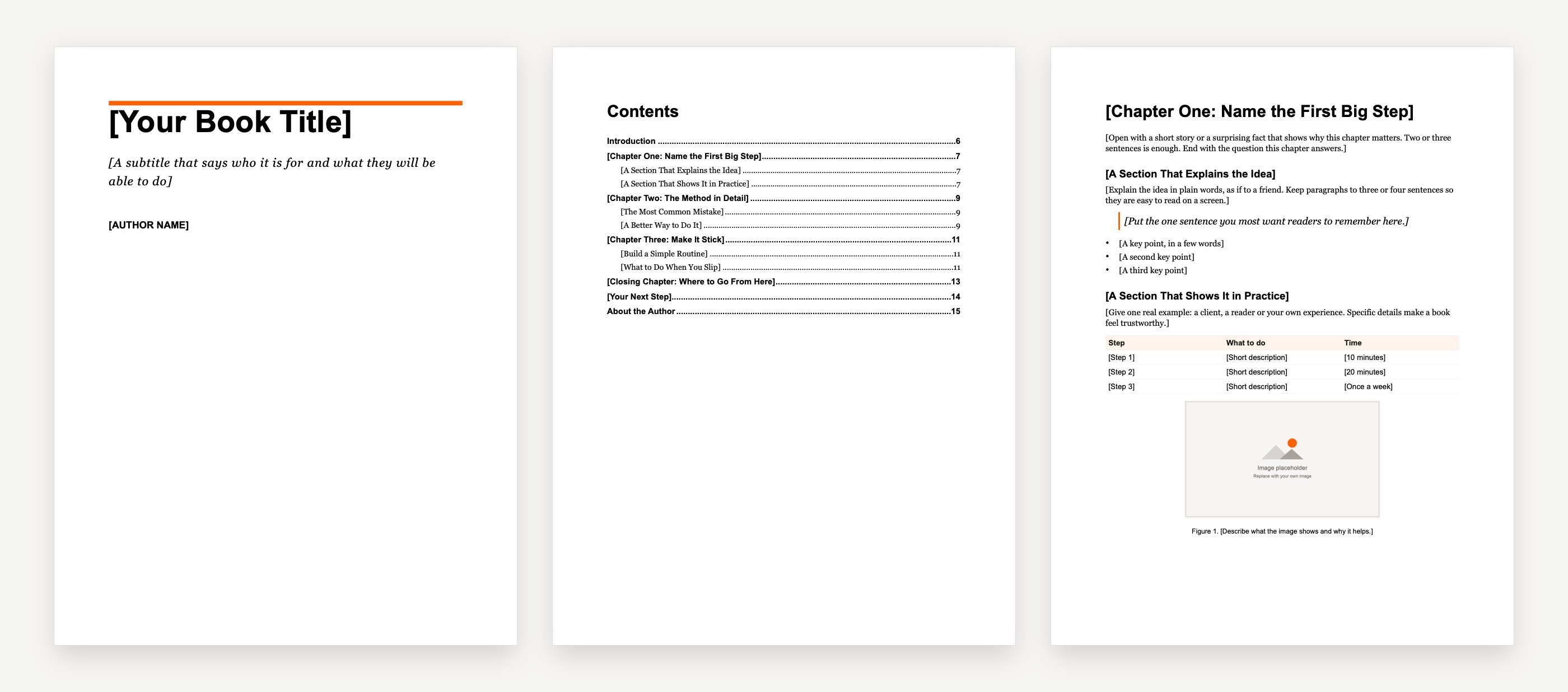


What is inside
- A "How to use this template" page to delete before you publish
- A cover page, a title page and a copyright page
- A table of contents built from the headings
- An introduction, three sample chapters and a closing chapter
- In each chapter: two sections, a pull quote, a bulleted list, a table, an image with a caption and a numbered "Try this" box
- A call to action page and an about the author page
- Only Google Docs built-in styles: Title, Subtitle, Heading 1, Heading 2 and Normal text
How to use this template
- 1Click Make a copy. Google Docs saves your own editable copy in your Drive.
- 2Replace each line in [square brackets] with your own words.
- 3Set chapter titles as Heading 1 and section titles as Heading 2 from the styles menu in the toolbar.
- 4Update the table of contents: click it, then click Refresh.
- 5Change the look in one place: change one heading, then choose Format, Paragraph styles, the style, and Update to match.
How to set up an ebook in Google Docs
- Page size and margins. Go to File, Page setup and choose Pages (not Pageless). Pick the paper size and margins: Letter with 1 inch margins suits a guide or lead magnet.
- Headings. Use Heading 1 for each chapter title and Heading 2 for sections. The table of contents is built from them.
- New pages. Put a page break before each chapter: Insert, Break, Page break.
- Table of contents. Click where it should go, then Insert, Page elements, Table of contents, and choose a look. Click Refresh after you change a heading.
Source: Google Docs Help, page setup and table of contents.
Download as PDF or EPUB
When you finish, go to File, Download and choose a format.
- PDF Document (.pdf) keeps your pages exactly as they look. Use it for a guide or lead magnet people read on screen or print.
- EPUB Publication (.epub) reflows to fit e-readers and phones. Use it as a starting point for ebook stores, then check it in the store's previewer.
Source: Google Docs Help, download a file, and Google's EPUB export announcement.
Google Docs ebook template FAQ
Free to start · No card needed · Cancel anytime
How to format Google Docs for an ebook?
Use File, Page setup for the page size and margins, Heading 1 for chapters and Heading 2 for sections, a page break before each chapter, and Insert, Page elements, Table of contents for the contents page. Keep body text in Normal text so it stays consistent.
Where can I find free ebook templates?
Koobe has free templates for Word, Google Docs and Kindle, an outline template and genre cover templates on its templates page. Canva, Adobe Express and Visme also have free ebook layouts you can edit in their own editors.
How do I turn my Google Doc into a book format?
Set up the pages and headings, add a table of contents, then use File, Download. Choose PDF to keep your layout, or EPUB for e-readers and ebook stores.
More free ebook templates
Word ebook template
A book-style ebook with the page size, margins and heading styles already set.

Kindle ebook template
A reflowable Word manuscript for Amazon KDP, with a linked table of contents.
Ebook outline template
Plan your reader, your promise and every chapter on one or two pages.
Ebook cover templates
Ten original covers by genre, at the Kindle size of 1,600 by 2,560 pixels.
“Still went out the same week. That’s the part I couldn’t do on my own.”
 Claire Dobson · Freelance designer, Bristol
Your book is one sentence away
Describe it, watch Koobe build it, and download it when you’re happy. Your first book is free to create and preview.
Free to start · No card needed · Cancel anytime